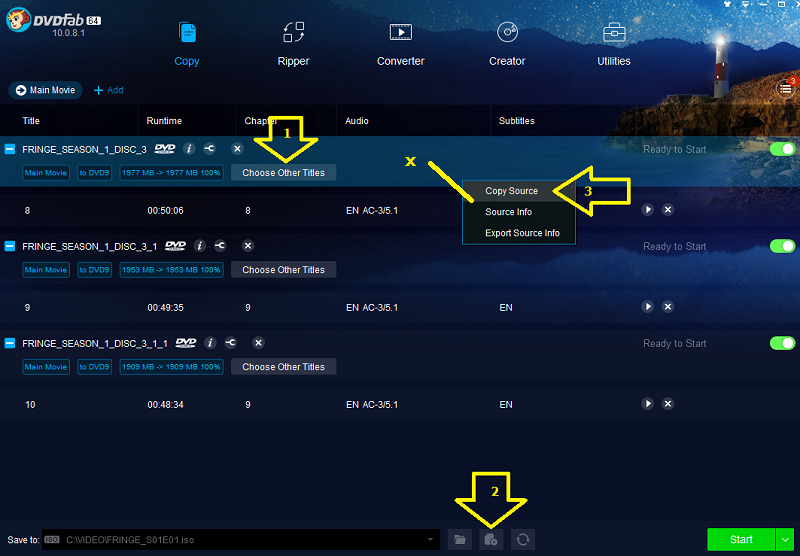
The easiest way is to use Main Movie and use the Choose Other Titles button to select the title for the first episode, set up the ISO name, then right click in the area where you see the "x" in the capture and select Copy Source. DVDFab will create another line from the same Source disc where you can select and name the second episode. Just repeat the process for the third. You will want to use Preview in the Choose Other Titles window to see which episode is which. You will need to name the ISOs using the name format you prefer. In the example in the capture, I named them ....S01E01, etc. When it is all set up, just click Start and you will end up with 3 ISOs, each with 1 episode.