Regarding the page going back to the top of the list.
Because it needs to refresh the page to get the download information of each song, you can select "Add to Queue" and then Start All in the downloading page.
Sylvia
#Sylvia, Thank you very much for your kind reply. Although what you said makes sense, the U.I. did not behave like that before. It was much easier when I could back out of an album I was adding to the que, to the exact spot where I went into the album. True, after I was deep into the list it would refresh after every addition, but before I hit that point, the back arrow would take me back to exactly where I was, before I went into the album. I also like adding multiple albums to the que before I start the download. After I start downloading, the main Spotify interface page refreshes after every track making it impossible to add more. If I have somehow misunderstood your instructions, please let me know.
On another note,
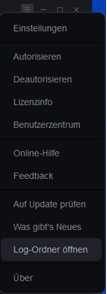
I loaded multiple albums into the que last night before I went to bed. When I checked this morning, MusicFab was not up. It had crashed shortly after I left the computer, with over ninety percent of the que unfinished. Strangely enough; this was a fresh new install, and I had not only deleted the .log file, I manually deleted the whole MusicFab folder under documents before re-installing. The .log file should have been still small enough to attach to this post, but I got an error saying
MusicFab.log
File exceeds PHP's file-size limit of 2.00 MB.
Something else that I've noticed: I got through with a short list in the que. When I went back to add more content to the que, an add list did not pop up when I selected an artist. Nor did an add list window pop up when I selected an album. After rebooting and restarting MusicFab (twice) I was finally able to add content.
Addendum: MusicFab crashed off the screen again this afternoon while downloading.