Unfortunately, I have bad news
Previously, it was possible to simply save each site individually, as they where simple images. But after the migration to the other company, they not only use a new site, but also, a new CDN system.
Instead of loading the entire page as one image, they divided each page into squares. In addtion to that, these squares are rotated and mirrored:
https://www.readly.co/de/reader/22013089/22617669
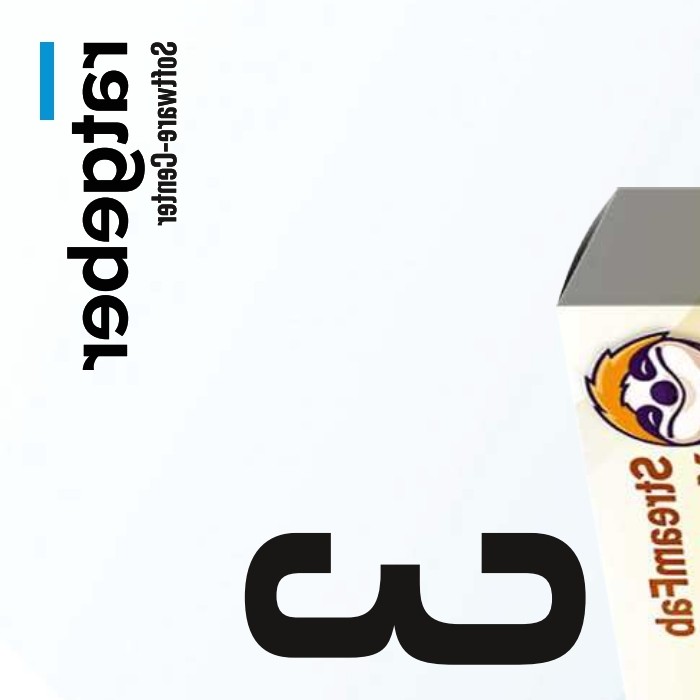
This is how it should look like:
But that does not apply to all images, this fragment is only upside down, not mirrored. So in order to get the Readly converter working again, they would also need to reverse-engineer the engine/script that puts the fragments together, just like SF needs to decrypt the fragments of Amazon videos, etc.
@Wilson.Wang I know you are the SF guy, but could you forward this to the people developing BookFab? It seems this thread got no attention so far and I don’t know whom to tag yet. If the devs need any help, the sub is going for another month. So I could check more stuff if they need to know more.
However, one thing worth mentioning: While I got a subscription in order to test if the Readly Converter works or not, I could open the link of the image in Icognito, and also in Chrome, where I’m not even logged in 😂
