0xFeedBeef
Ok, Let me start over. I know this is NOT a StreamFab issue directly, but a Crunchyroll one.
The issue is that this;
https://www.crunchyroll.com/watch/GRQW71J3R/reflection
And this;
https://www.crunchyroll.com/watch/GRVDJVJXR/in-the-far-north
Are both being considered the same episode (E1) in there system.
The episode Reflection is an intermission episode, one that catches those up with the current story, and is JPN audio only, no ENG.
The issue is when you rip In the Far North the first JPN audio track is actually for Reflection. The same is also true in reverse, the ENG audio of Reflection is actually In the Far North as Refection does not have ENG audio. The problem is there does not seem to be a way to grab the second JPN audio track, the one that’s actually for In the Far North. StreamFab only seems capable of grabbing the first audio track of a given language.
Here are screenshots of the Crunchyroll page for Reflection; (even though there both checked, the first is actually selected, and the Video for Reflection is the one that is played.)
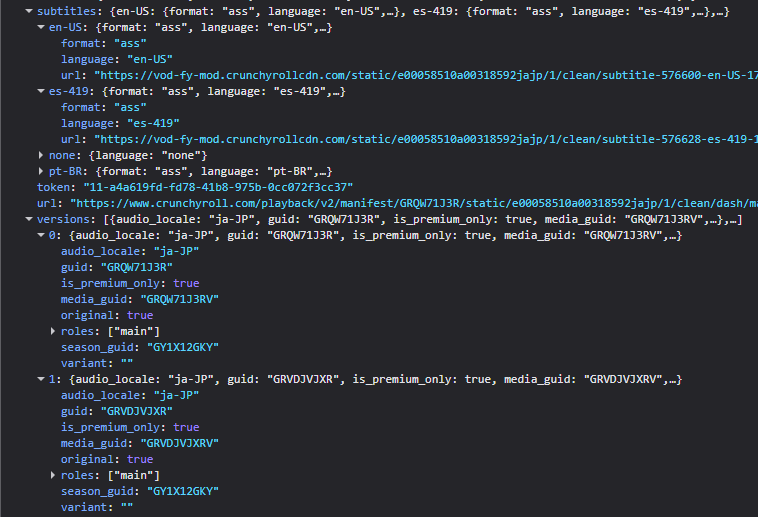
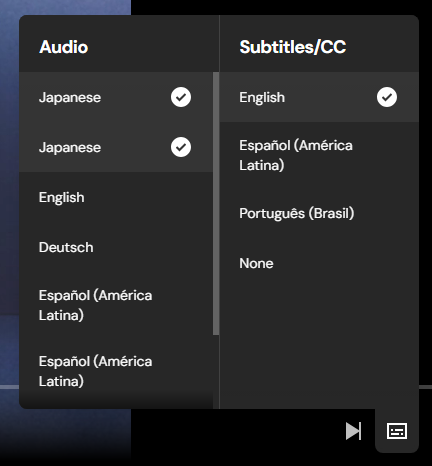
And here is In the Far North; (the second JPN track selected, again changes the video)
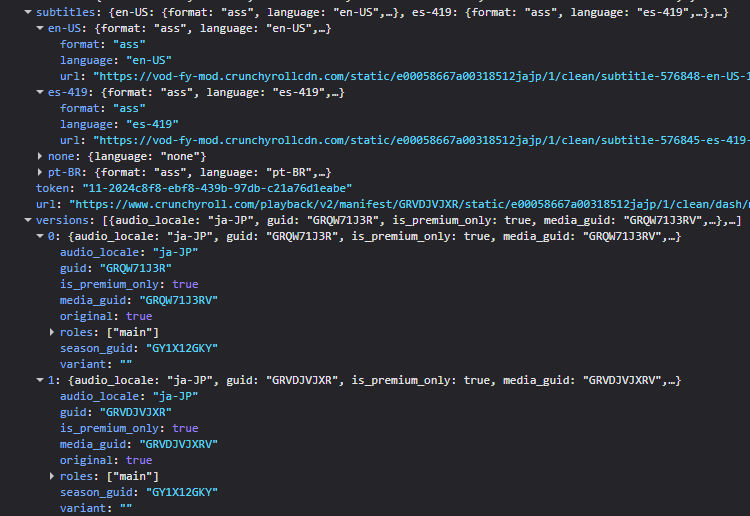
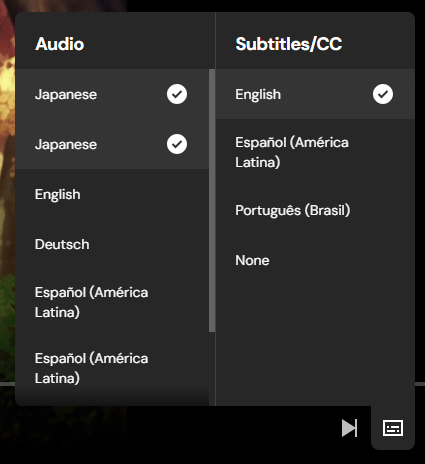
As you can see there pointing to the same places as well…
The thing that is the most interesting is that on either episode if you select the other track (in other words of you “watching” Reflection and select the second JPN track, or are watching In the Far North and select the first JPN track) the page will still way to watching the original episode, but the video is actually from In the other episode…
So what I am asking is if there is a way to grab that second JPN audio track?
