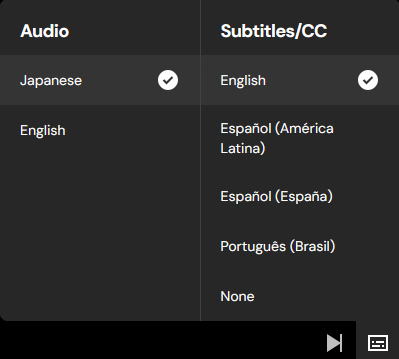
Crunchyroll’s player has subtitles set up in a perhaps unfortunate way, where the selection available will change depending on the audio type selected. For instance, here’s an example of the available subtitles when the Japanese audio is selected in the player:
And here’s an example on the same episode with English audio selected:
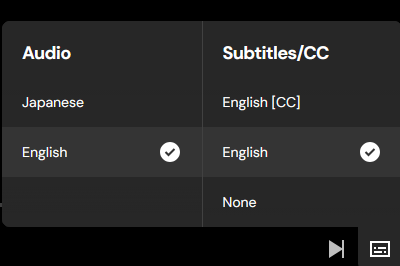
Both options have their selected subtitles labeled as “English”, however the English audio subtitles are actually the forced (aka signs and songs) subtitles. But neither this nor the English [CC] options are selectable when attempting to download the episode, even when loading the episode using the English audio. Example showing that only the subtitle options for the Japanese audio are available to download, no matter what audio language is actually selected (same episode as above images):
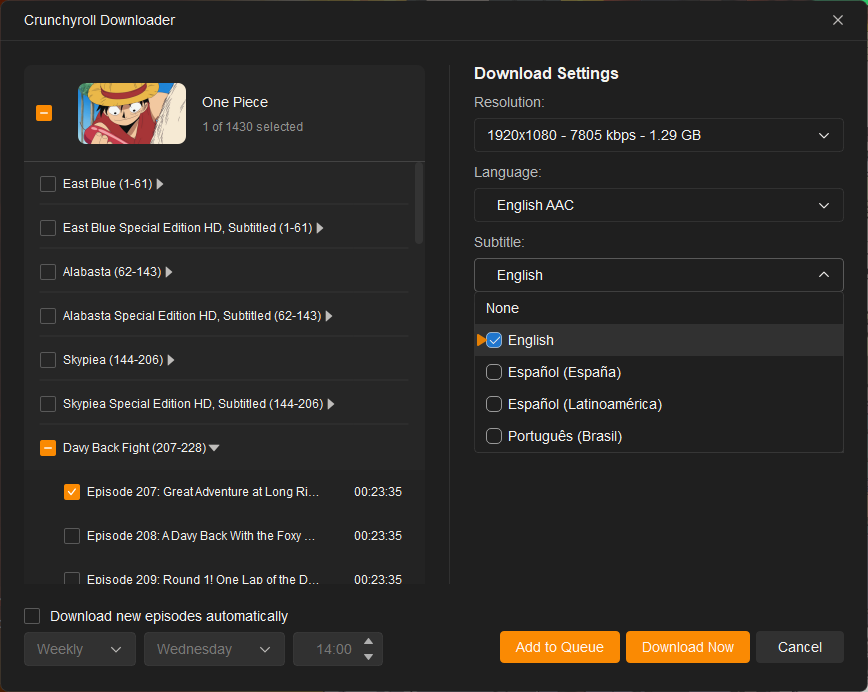
I’m not sure how the issue with having both forced and regular English subs being named the same would be resolved, hopefully it would be as simple as updating the preselected subs on the English Audio as something like “English Forced” on the StreamFab side before prompting to download?
The current workaround to download these subtitles is to do something similar to what this post describes, where you inspect the page to find the link to the desired subtitles, but it would be great if these could just be grabbed by StreamFab when downloading the episode!
StreamFab version 7.0.4.5, Win 11
