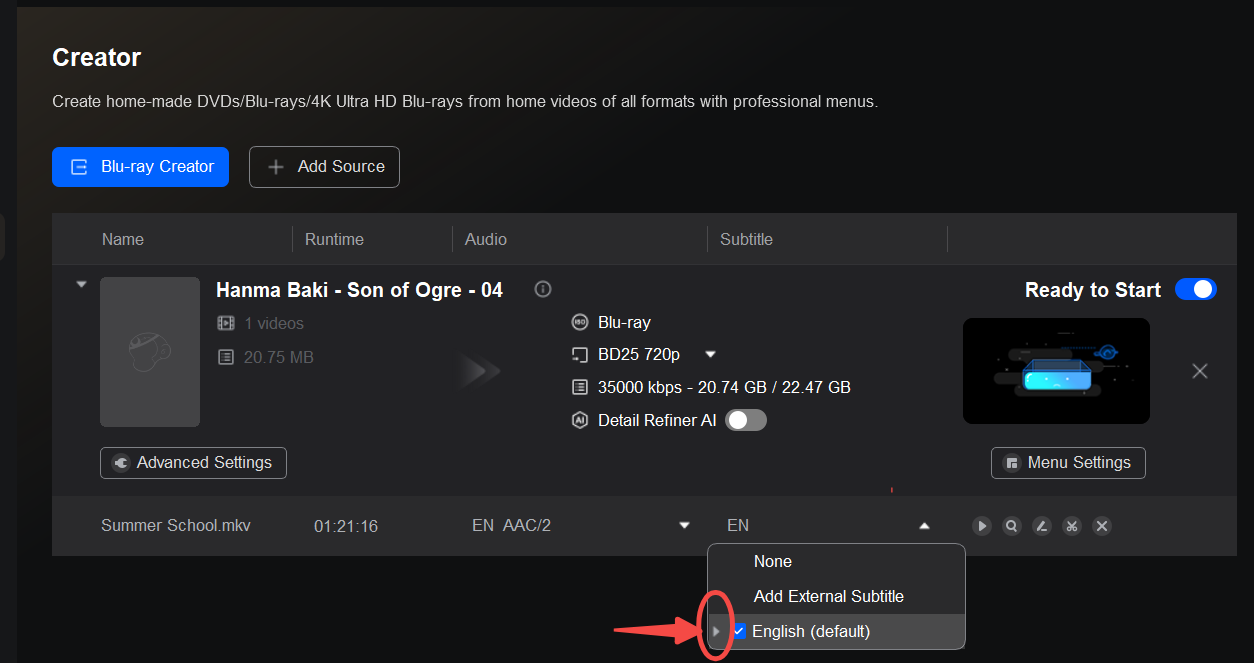
Please refer to the attached image. You can put a tiny arrow in front of the subtitle track to set it as the default one for playback. However, the small triangle next to a subtitle track in Blu-ray Creator only marks that track as the default subtitle track; it will still be a selectable soft subtitle, not a burned-in subtitle. Some older Blu-ray players cannot display soft subtitle tracks even if they are set as default.
To make subtitles appear automatically on your old player, you need hard (burned-in) subtitles:
Best option: Re-download the episodes in StreamFab and set subtitles to Render Direct To Video instead of Remux into File. This burns the subtitles permanently into the picture, so any Blu-ray player will show them.
If you want to keep the current files: Use Video Converter to re-encode the videos with subtitles burned in (Render), then author the resulting files with Blu-ray Creator.
After either step, use Blu-ray Creator to make the disc/ISO normally. The triangle icon can still be used to pick which track is default, but it does not convert soft subtitles to hard subtitles.