It’s sad to hear all the issues. If you let it know what the last version that worked was, we can supply download links, if needed. Even we are limited to how far back versions you want and ONLY Windows versions.
During the initial purchase, they offered extended download service, which would give access to almost all versions.
I am trying to look through my DVDFAB 13 and see, but I have no Blu-ray or UHD disks to copy/create/rip or other to see what’s up. If you are doing just DVDs, I don’t get what the problem is.
And why would it be needed to upscale AI UHD disks?
Standard DVDs worked last I knew.
As just a user, I can’t supply much more info.
I still have an Nvidia RTX 3070.
I do know Nvidia had a clean install option; it’s worth a try.
It’s under custom install when downloading and installing the driver file.
I was going to say maybe DVDFAB can’t handle 4000/5000 and above, but you say you had an issue with the 3000 series, and my 3070 had no issues.
HOW ABOUT LOGS!!!
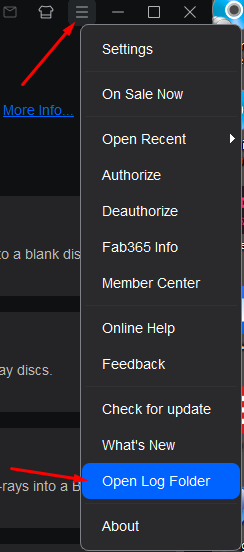
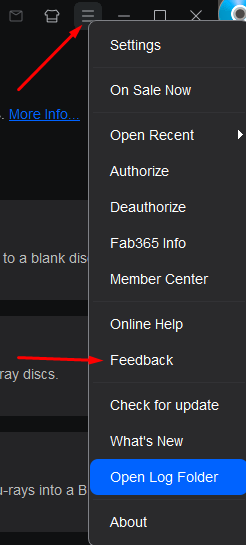
You can submit logs directly to DVDFAB via the DVDFAB menu, feedback.
Or your logs are stored in %HOMEPATH%\Documents\DVDFab\DVDFab13\Log
https://dl.dvdfab.cn/download/67_13065_f1dbbfed/dvdfab13_x64_13065.exe
https://dl.dvdfab.cn/download/67_13066_23de720c/dvdfab13_x64_13066.exe
Also, I would NEVER disable GPU acceleration. I had ot ditch dvdfab 12 because that would not handle my RTX 3070.
Software upscaling just takes too long. Need the GPU!
.