Please improve Task Queue management - needs a complete overhaul I think.
When launching SF, I can’t do anything until the below dialog disappears - and it sometimes can be displayed for 2-3 minutes. Well, I guess I can click the “X” but I don’t know if there’s negative impact. If there’s no negative impact from closing it, though, then why is the box there and preventing other actions?
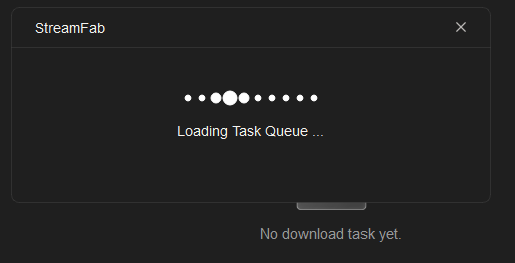
But a bigger question to me is: what is it trying to load, when I have no items in my queue? I’m launching SF from scratch, and it was fully closed (exited) in a prior session with NO items in the queue.
Seems like this “queue loading” could be done in the background. Or maybe add a new “status bar” area that displays alerts about the queue so I’m aware it’s loading, but I’m not prevented from doing other things in SF (open and browse services, look at settings, etc.)
A status bar area could also be useful when a user adds an item to the queue, or when SF completes processing/remuxing of an item and clears it from the queue, as again SF displays a dialog about “updating queue” that blocks me from continuing my actions until the message closes (or I close it - but then why the “X” - is this critical? If not don’t show it!)
This “loading” message at start-up and while adding to the queue and watching items finish, which seems unnecessary, and the time spent waiting for the dialog to close, is a big pain-point for me as it diminishes the user experience . And again, if it IS necessary, then why is there a close button, which seems like it would interrupt a necessary process.
Please find another way to handle “queue” messages…
